
If you rely on remote job alerts, speed matters — but only when the alert points to a role you would actually apply for. A notification that arrives in five minutes is not useful if the job is unrelated, location-restricted, duplicated, or already circulating across every remote work newsletter.
This guide compares major remote job boards from a practical job seeker’s perspective: which ones appear to surface opportunities quickly, which ones reduce noise, and how to set up alerts so you can apply before strong remote roles get flooded.
Official website · Latest pricing & offers
What remote job seekers actually mean by ‘faster’ alerts
When candidates talk about faster remote job alerts, they usually mean three different things at once: how quickly the notification arrives, how fresh the listing is when it appears, and how well the alert matches their search.
Those are not the same. A board can send immediate remote job notifications but still deliver stale or irrelevant listings. Another board may send fewer alerts but save you time because the roles are more aligned.
Speed to email/push notification
The most obvious version of speed is delivery time. If you subscribe to remote jobs email alerts, you want matching jobs to land in your inbox soon after they are posted or indexed.
Some job boards emphasize daily emails, while others position alerts as a core feature. Email delivery can also depend on your settings, inbox provider, spam filtering, and whether the site sends instant, daily, or weekly summaries.
For candidates trying to apply early, instant or frequent alerts are usually better than weekly digests. But even the best remote job alerts become less useful if they overwhelm you with roles you would never consider.
Speed from posting to first visibility
The second type of speed is listing freshness. A board may send an email quickly after a role appears on its own site, but that does not always mean it found the job before other boards.
This is where public signals matter. Some sites show recent posting dates, daily job pages, or a steady stream of new listings. Others are more curated and may prioritize quality checks over being first.
There is no reliable public way to prove exact technical latency across all remote job alert sites. So the fair comparison is not “which site is fastest by the minute,” but which boards appear most likely to expose fresh, relevant remote roles quickly enough to give you an application advantage.
Why relevance matters as much as speed for remote job alerts
Fast remote job alerts only help if they reduce your decision time. If an alert matches your role, seniority, location, salary expectations, and work authorization needs, you can act within minutes.
If it does not, you lose time opening tabs, reading descriptions, checking whether “remote” really means your country, and filtering out duplicates. That delay defeats the purpose of speed.
The best setup is a balance: alerts fast enough to catch fresh roles, but narrow enough that you can confidently apply before the posting gets crowded.
How we evaluated remote job alert boards
This comparison uses visible public signals, official site positioning where available, search result behavior, and practical alert workflow considerations. It does not claim private latency data, unpublished delivery benchmarks, or technical crawling speeds.
The goal is to help you choose remote job alerts based on real job-search usefulness: freshness, filtering, volume, noise, and how quickly you can convert an alert into a strong application.
Freshness and posting cadence
Freshness is one of the biggest indicators of whether a board can help you move early. Sites that publish daily remote jobs, show new listings clearly, or organize recent postings well tend to be more useful for fast applications.
A steady posting cadence also matters. A site with occasional high-quality jobs may be worth checking, but it may not be enough as your only alert source if you are in an active search.
For this guide, “faster” means the board appears to support timely discovery through frequent updates, recent listings, or alert-oriented positioning — not a guaranteed delivery time.
Filter quality and alert customization
The more precise your filters, the more useful your remote job alerts become. Good filters usually include role category, keyword, location eligibility, company type, seniority, and sometimes salary or contract type.
Weak filtering creates false speed. You may receive many notifications, but if half are irrelevant, you are not actually getting a faster path to the right job.
Customization is especially important for remote work because “remote” can mean global, country-specific, state-specific, hybrid, timezone-bound, or remote only after onboarding.
Job volume vs alert noise
More listings are not always better. High-volume boards can help you discover more opportunities, but they can also generate more duplicates and mismatches.
Curated boards may send fewer remote job alerts, but they can be more efficient if they screen out poor-quality postings. The trade-off is that a curated board may not always be the earliest source for every role.
The right choice depends on your search style. If you are applying broadly, volume helps. If you have a specific role target, lower-noise alerts are often more valuable.
Mobile/email delivery considerations
Most candidates check alerts on mobile first, then apply later from a laptop. That creates a workflow problem: you need enough information in the email or mobile view to decide whether the role is worth saving.
Good remote job notifications should make it easy to scan the title, company, location rules, role type, and posting age. If you have to open every listing just to understand whether it is relevant, the alert experience is slower than it looks.
For early applications, your system should let you triage quickly: apply now, save for later, ignore, or track the employer.
Which remote job boards appear fastest based on public signals
The boards below are well-known in the remote work market, but they serve different search behaviors. Based on public positioning and visible search-result signals, some appear better for high-volume discovery, while others are better for curated or specialized browsing.
This section avoids unsupported technical claims. Instead, it focuses on what job seekers can reasonably infer when choosing remote job alerts.
| Board | Public positioning signal | Likely strength | Main trade-off |
|---|---|---|---|
| Remote.co | Remote-focused job board with frequent listings | Broad remote roles and regular browsing | Relevance depends on filters and role category |
| DailyRemote | Daily remote job updates positioning | Fresh browsing and daily discovery | Volume can require careful filtering |
| RemoteJobs.io | Alert-oriented remote job positioning | Candidates who prioritize notifications | Verify match quality before relying on it alone |
| FlexJobs | Curated flexible and remote jobs | Lower-noise, screened listings | May feel less instant than open boards |
| We Work Remotely | Large remote-only job board, strong tech/startup presence | Premium remote inventory and tech roles | Competition can be high for popular jobs |
| Remote.com | Remote work/company ecosystem visible in search | Useful to research remote employers and roles | Not always a pure job-alert-first workflow |
Remote.co: high posting volume and daily cadence
Remote.co is often visible for remote work searches and presents itself as a remote-focused job board. For candidates who want remote job alerts across multiple categories, it is a practical place to monitor.
Its strength is breadth. You can typically find roles across customer support, marketing, writing, operations, HR, sales, and technology-related categories.
The trade-off is that broad boards need disciplined filtering. If your alert is too general, you may receive roles that are technically remote but not aligned with your seniority, location, or compensation needs.
Remote.co is a sensible option for general remote job seekers who want a steady flow of opportunities and are willing to refine searches over time.
DailyRemote: daily job updates and broad remote coverage
DailyRemote’s public positioning emphasizes daily remote job discovery, which makes it relevant for candidates searching for daily remote jobs and frequent updates.
That daily cadence can be useful if your goal is to build a morning and afternoon application rhythm. You can review new postings, shortlist strong matches, and apply while roles are still fresh.
As with any broad board, the key is reducing noise. Daily updates are only valuable if your filters and keywords match the type of work you actually want.
DailyRemote may appeal to candidates who want free remote job alerts or frequent browsing without waiting for weekly summaries, though you should always verify the current alert options directly on the site.
RemoteJobs.io: alert-first positioning
RemoteJobs.io is notable because its name and public search positioning are strongly aligned with remote job discovery. For candidates comparing remote job alert sites, that alert-first framing is worth considering.
The likely advantage is simplicity. A site built around remote jobs and notifications can fit candidates who want fewer distractions than a general employment marketplace.
The important question is relevance. Before depending on any alert-first site, test a few searches and inspect whether the results match your role, region, seniority, and salary expectations.
If the matches are strong, RemoteJobs.io can be part of a faster workflow. If not, it may create the illusion of speed without improving your application odds.
FlexJobs: curated but often more filtered than instant
FlexJobs is known for curated flexible and remote work listings. That makes it different from open remote job boards that emphasize volume and speed.
For many candidates, curation is valuable. A screened environment can reduce scams, duplicates, and irrelevant roles, which helps you focus on serious applications.
The trade-off is that curated listings may not always feel like the fastest possible route to brand-new postings. Quality control and filtering can be more important than instant visibility.
FlexJobs is best suited to candidates who value trust, structure, and lower noise over maximum listing volume. If you are tired of low-quality remote job alerts free sources, a curated approach may be worth comparing.
We Work Remotely: premium remote-only inventory
We Work Remotely is one of the most recognized remote-only job boards, with a strong presence in tech, product, design, marketing, and startup-adjacent roles. It often attracts companies that specifically want remote candidates.
For job seekers, that can mean more relevant remote-first opportunities. When the employer intentionally posts on a remote-only board, there is usually less confusion about whether the role is truly remote.
The challenge is competition. Popular roles on well-known boards can get attention quickly, so fast remote job alerts and a prepared application package matter.
We Work Remotely is especially useful for candidates who want remote roles in digital, technical, or startup-friendly categories and are ready to apply soon after a match appears.
Official website · Latest pricing & offers
Best board for getting early alerts before jobs get flooded
The best board depends less on a universal winner and more on your target role. A customer support candidate, a senior engineer, and a marketing generalist may need different alert systems.
Here is a practical way to match remote job alerts to your search goal.
Best for general remote roles
For broad searches, Remote.co and DailyRemote are strong candidates to test first. They are remote-focused, visible in search, and suitable for multiple job categories.
Use them for roles like virtual assistant, customer support, operations, content, HR, marketing, and entry-to-mid-level remote positions. These categories often move quickly, so alert frequency matters.
To avoid getting buried in noise, create separate alerts by role type. For example, use one alert for “remote customer support” and another for “remote operations coordinator,” rather than one vague “remote jobs” search.
Best for tech and startup roles
For software engineering, product, design, DevOps, data, and startup-oriented work, We Work Remotely is usually one of the best remote job sites to include in your workflow.
It has strong remote-only recognition and tends to attract employers comfortable with distributed teams. That makes the listings more relevant for candidates who want remote work as the default, not a perk.
Pair it with one broader board if you want more volume. Tech roles can spread quickly across social media and newsletters, so having multiple alert sources improves your chances of seeing a role early.
Best for curated low-noise alerts
FlexJobs is the better fit if your main problem is not finding enough listings, but finding trustworthy ones. Curated boards can be helpful when you are tired of scams, vague job descriptions, or reposted listings.
This is especially relevant for candidates returning to work, career changers, or people applying outside highly technical fields. Lower noise can help you spend more time writing strong applications.
The downside is that curated alerts may not always satisfy candidates who want maximum speed. If your goal is to apply within minutes, pair a curated source with a faster-moving remote board.
Best for high-volume browsing
DailyRemote and Remote.co are better suited for high-volume browsing than highly curated systems. They are useful when you want to scan many roles, test keywords, and understand which companies are hiring repeatedly.
High volume can improve your market awareness. You may notice patterns in job titles, required tools, salary bands, and location restrictions.
But volume should not become chaos. If your remote job alerts produce more than 20–30 listings a day and most are irrelevant, split them into tighter searches or reduce the alert scope.
Where Remote Rocketship fits in the alert-speed conversation
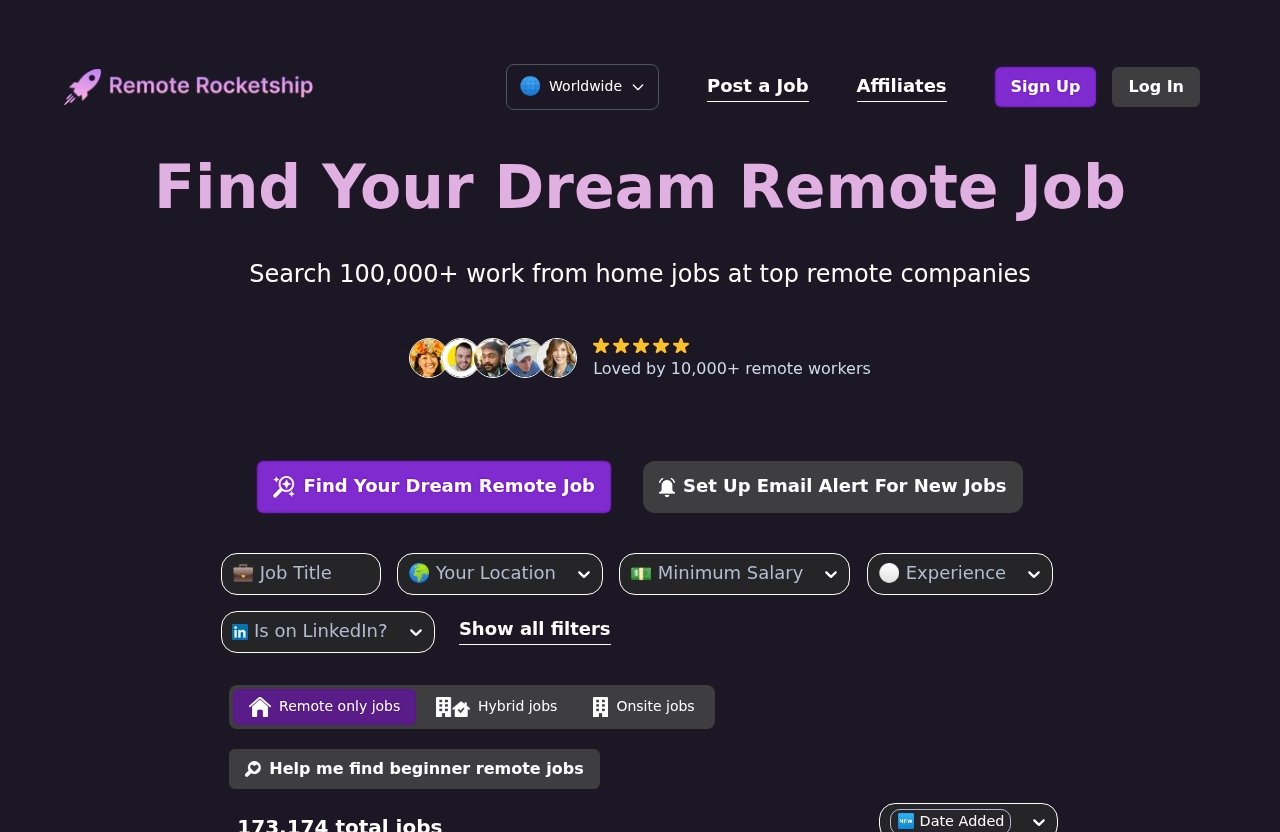
Remote Rocketship, associated with the official domain remoterocketship.com, fits into this comparison as a remote-first discovery option for candidates who want another way to find remote opportunities.
Because the official homepage and pricing details were not accessible for verification during this research, this article does not make claims about specific features, pricing, plans, or trial terms. Readers should verify current details directly before relying on any tool.
Why specialized remote aggregation can help
Specialized remote discovery tools can be useful because remote job seekers have different needs from local job seekers. You are not just searching for a title; you are checking location eligibility, timezone expectations, company remote culture, and whether “remote” is truly remote.
If you are comparing remote job alerts, adding a remote-focused discovery source can help you see opportunities outside the most obvious boards. That can be useful when popular listings become crowded quickly.
Readers who want to explore a remote-first job discovery experience can try Remoterocketship and compare its results against the boards above.
How to use filters to reduce lag and noise
No job discovery tool works well if your search is too broad. Start with the exact job titles you would accept, then add skill keywords and exclude categories you do not want.
For example, a product marketer might test “product marketing,” “lifecycle marketing,” and “B2B SaaS marketing” as separate searches. A developer might separate “frontend React,” “full-stack TypeScript,” and “backend Python.”
The goal is to make remote job alerts faster in practical terms: fewer bad matches, faster decisions, and more applications submitted while the role is still fresh.
When to pair it with broader boards
Use a specialized remote discovery source alongside broader boards when you are in an active search and want more coverage. This is especially useful if you are applying in competitive fields or need a role that supports your country or timezone.
For example, you might use We Work Remotely for startup tech roles, FlexJobs for curated listings, and Remoterocketship as an additional remote-first discovery channel. That combination gives you both breadth and quality control.
Do not rely on any single source blindly. The strongest alert workflow uses two or three sources, then tracks which one actually produces interviews.
How to maximize any remote job alert system
The fastest board will not help if your process is slow. To get real value from remote job alerts, you need a repeatable system for filtering, reviewing, applying, and tracking outcomes.
Think of alerts as the front end of your job-search pipeline. Your resume, portfolio, cover note, and application tracker determine whether speed turns into interviews.
Set tighter filters and keywords
Start with narrow alerts, then broaden only if you are not seeing enough opportunities. Use exact role titles, core tools, industry terms, and seniority markers.
Good examples include:
| Candidate type | Better alert keywords | Too broad |
|---|---|---|
| Customer support | “remote customer support SaaS” | “remote jobs” |
| Frontend developer | “remote frontend React TypeScript” | “developer” |
| Content marketer | “remote content marketing B2B” | “marketing” |
| Project manager | “remote project manager agile” | “manager” |
Avoid relying on one generic alert. Multiple focused remote job alerts are easier to review and more likely to surface strong matches.
Choose alert frequency strategically
If a board offers frequency options, choose based on your availability. Instant alerts are useful only if you can act on them quickly.
Daily alerts work well if you review them at fixed times, such as 8 a.m. and 2 p.m. Weekly alerts are better for passive browsing, not competitive applications.
For high-demand roles, use instant or daily notifications from your top sources. For secondary searches, daily or weekly emails may be enough.
Act on alerts in the first 15 to 30 minutes
For competitive remote jobs, the first 15 to 30 minutes can matter. You do not need to rush a sloppy application, but you should have materials ready so you can move quickly.
Prepare a base resume, two or three tailored summary versions, a short cover note template, and proof links such as a portfolio, GitHub, writing samples, or case studies.
When remote job alerts arrive, scan for fit first. If the role matches your target, apply with a tailored but efficient response instead of saving it indefinitely.
Track repeat employers and recurring roles
A simple tracker can reveal which boards produce the best results for you. Record the company, role, board, posting date, application date, and outcome.
Also watch for repeat employers. If a company posts multiple remote roles in your field, follow it directly and check its careers page.
Over time, you may discover that one board sends more listings, but another sends better interview opportunities. That data is more useful than guessing which site is “fastest.”
Red flags that make alerts feel slow or useless
Bad alerts waste energy. They create the feeling that you are being productive while sending you in circles through irrelevant, stale, or duplicated listings.
If your remote job alerts show the red flags below, adjust your filters or switch sources.
Too many irrelevant matches
If most alerts do not match your job type, seniority, or location, the system is not helping. A high number of notifications can actually slow you down.
Common mismatches include internships for senior candidates, executive roles for entry-level candidates, or sales-heavy roles appearing in marketing searches.
Fix this by adding exact title terms, negative keywords, and location rules where the board allows it.
Duplicates and stale listings
Duplicates are common across remote job boards because employers distribute roles widely. A listing may appear on several sites, newsletters, and social platforms.
Stale listings are worse. If a role has been open for weeks and is still circulating as “new,” your odds may be lower unless the company is hiring multiple people.
Before applying, check the employer’s careers page when possible. If the role is missing there, expired, or materially different, be cautious.
Poor timezone or location filtering
Remote does not always mean work from anywhere. Many roles are limited to the U.S., Canada, Europe, specific states, or certain time zones.
Poor location filtering makes remote job alerts free sources especially frustrating because you may spend time reading jobs you are not eligible for.
Look for phrases like “U.S. only,” “must be authorized to work in,” “ET hours required,” or “remote within.” These details should influence whether you apply.
Alerts arriving after social media buzz
Some roles spread quickly on LinkedIn, X, Slack communities, Discord groups, and newsletters. If your alert arrives only after the job is already widely shared, you may be late.
That does not mean you should never apply. Strong candidates can still win later in the process.
But if speed is your strategy, compare alert arrival with when you first saw the same role elsewhere. If a board consistently lags behind social channels, use it as a backup rather than your primary source.
Official website · Latest pricing & offers
FAQ
How do I get alerts for job postings?
Create an account on a job board, run a search using your target role and location, then turn on job alerts for that search. Most boards let you name the alert, choose a frequency, and save it so matching jobs arrive automatically.
For better remote job alerts, create separate alerts for each role type instead of one broad search. For example, use different alerts for “remote customer success,” “remote account manager,” and “remote support specialist.”
What is the 3 month rule for jobs?
The “3 month rule” is not a formal hiring rule. Job seekers often use it as a practical benchmark for evaluating whether their search strategy is working after about three months.
If you have been applying consistently for three months with few interviews, review your resume, targeting, networking, and alert sources. It may be time to narrow your roles, improve your application materials, or change which remote job boards you use.
How do I know if a remote job is real?
Check the company’s official domain, confirm the role appears on its careers page, and look for consistent contact information. Be cautious with vague job descriptions, unrealistic pay, poor grammar, or recruiters using personal email addresses.
A real employer should not ask you to pay for equipment, training, background checks, or software before hiring. Also avoid sharing sensitive personal data too early in the process.
How to make $1000 a week remotely?
Making $1000 a week remotely is realistic for some people, but it usually requires marketable skills, consistent client work, or full-time remote employment. Common paths include software development, sales, marketing, design, customer success, bookkeeping, writing, operations, and specialized freelance services.
Avoid anyone promising easy money with no skills or effort. A safer plan is to build a clear skill, target legitimate roles, use strong remote job alerts, and apply quickly to opportunities that match your experience.
Final verdict: which board sends faster for most remote candidates
There is no single winner for every candidate. The best choice depends on your role, tolerance for noise, and whether you value immediate volume or curated relevance.
For most job seekers, the smartest approach is to combine two or three sources: one broad remote board, one specialized or curated source, and one direct employer tracking system.
Best overall pick by use case
| Goal | Best-fit board type | Suggested starting point |
|---|---|---|
| Broad remote search | High-volume remote board | Remote.co or DailyRemote |
| Tech/startup roles | Remote-only tech-friendly board | We Work Remotely |
| Lower-noise search | Curated flexible work board | FlexJobs |
| Alert-focused discovery | Remote-focused alert site | RemoteJobs.io |
| Additional remote discovery | Remote-first discovery tool | Remoterocketship |
If your goal is speed plus relevance, do not just ask which site sends remote job alerts first. Ask which site helps you find a strong match quickly enough to submit a quality application.
Best free option
For candidates prioritizing free remote job alerts, start by testing Remote.co, DailyRemote, RemoteJobs.io, and We Work Remotely directly. Verify current alert options on each site because features can change.
Free sources are often enough for active candidates, especially if you use tight filters and check postings daily. The main downside is that you may need to manage more duplicates and irrelevant listings yourself.
Best premium-curated option
FlexJobs is the most obvious fit for candidates who want a curated environment and are willing to consider a more filtered experience. It is especially useful if your biggest problem is low-quality listings rather than lack of volume.
Premium-curated does not automatically mean faster. It means the alert may be more trustworthy and less noisy, which can still save time.
Best choice for candidates who want fast early applications
For fast early applications, use a blended workflow: We Work Remotely for tech and startup roles, Remote.co or DailyRemote for broader coverage, and a remote-first discovery option such as Remoterocketship if you want another source to compare.
The winning system is the one that sends relevant remote job alerts, lets you act within 15 to 30 minutes, and consistently produces interviews. Speed matters, but relevance is what turns alerts into real opportunities.
