
If you are asking, “how can i tell if a remote job is legit,” the safest answer is: verify the company, verify the posting, verify the recruiter, and never send money or sensitive documents before you confirm who you are dealing with.
Remote work is normal in 2026, but so are fake listings that copy real company names, impersonate recruiters, and pressure applicants into quick decisions. The goal is not to make you suspicious of every opportunity. It is to give you a calm, repeatable remote job legitimacy checklist you can use before you apply, interview, or accept an offer.
A quick safety disclaimer: never send money, gift cards, crypto, bank login details, full Social Security numbers, passport scans, or tax documents before you have verified the employer and the hiring process.
Official website · Latest pricing & offers
Quick answer: how to tell if a remote job is legit
The short version: a legitimate remote job usually has a real company behind it, a clear role, realistic pay, professional communication, and a standard hiring process. A scam often skips one or more of those steps and asks you to trust urgency instead of evidence.
If you keep wondering, “how can i tell if a remote job is legit,” use this first-pass filter before you spend time applying.
The 30-second legitimacy check
Ask these six questions:
| Check | Legit remote job signs | Common red flag |
|---|---|---|
| Company identity | Real website, active LinkedIn page, public employees | No website, copied logo, vague business name |
| Job details | Clear duties, required skills, reporting structure | “No experience needed” with unusually high pay |
| Email domain | Recruiter uses a company domain | Gmail, Outlook, Telegram-only contact |
| Application flow | Apply through careers page or known platform | Asked to message a “hiring manager” directly |
| Pay realism | Salary matches role, market, and location | $45/hour for basic data entry |
| Interview behavior | Scheduled interviews, role-specific questions | Instant offer after a chat-only interview |
This is your remote job scam checklist. If two or more items look wrong, pause and verify before continuing.
When to trust your gut and walk away
You do not need courtroom-level proof to stop engaging. If the recruiter becomes pushy, asks for money, avoids direct questions, or changes the process suddenly, walking away is reasonable.
The Federal Trade Commission warns that job scams often involve fake checks, upfront fees, and requests for personal information. Indeed, LinkedIn, and SSA’s Choose Work program also advise job seekers to verify employers, watch for unrealistic promises, and avoid paying to get hired. These sources are useful because they see recurring scam patterns across large numbers of job seekers.
What fake remote job listings usually have in common
Fake listings vary, but many follow a familiar pattern: attractive pay, easy work, fast hiring, and a request that benefits the scammer. Learning these fake remote job red flags helps you slow down before you share anything personal.
The question is not only “how can i tell if a remote job is legit,” but also “what does a fake one usually feel like?”
Too-good-to-be-true pay or flexibility
High pay is not automatically a scam. Some remote jobs pay well, especially in software, sales, product, compliance, and specialized operations.
But unrealistic pay for low-skill tasks is one of the most common work from home scam signs. Be careful with listings like:
- “Earn $1,500 weekly working 5 hours from home”
- “Data entry assistant, no interview, $40/hour”
- “Get paid daily to process payments”
- “Unlimited income, no experience required”
Legitimate employers usually explain why the role pays what it pays. Scammers often use the salary as bait.
Vague responsibilities and no real requirements
A real job description should tell you what you will do. It should mention tools, customers, deliverables, departments, schedule expectations, or performance goals.
A vague scam-style listing may say:
“We need serious candidates to assist with online tasks and administrative duties. Training provided. Must be honest and hardworking.”
That could describe almost anything. If the role has no specific responsibilities, no qualifications, and no context about the company, treat it as worth verifying.
Pressure tactics and urgency
Scammers often push urgency because they do not want you to research. They may say:
- “You must accept today”
- “We have many candidates waiting”
- “Do not contact the company directly”
- “Your equipment check expires in 2 hours”
- “Send your ID now to secure the position”
Real hiring teams may move quickly, but they usually do not punish you for asking basic questions.
Requests for money, checks, crypto, or equipment reimbursement
This is one of the clearest fake online job warning signs. A legitimate employer should not ask you to pay to get a job.
Be especially cautious if you are asked to:
- Buy equipment from a specific vendor before starting
- Deposit a check and send money elsewhere
- Pay for background checks through an unusual link
- Receive and reship packages
- Accept crypto payments or convert funds
- Use your personal bank account for company transactions
The FTC specifically warns about fake check scams, where a check may appear to clear before the bank later determines it is fraudulent. By then, the applicant may have already sent real money to the scammer.
Step-by-step checklist to verify a remote job posting
This is the core process I would use before trusting any remote listing in 2026. If you have ever typed “how can i tell if a remote job is legit” after seeing a tempting post, save this section.
1. Confirm the company actually exists
Start with the basics. Search the company name and look for a real website, company LinkedIn page, leadership team, customer references, recent posts, press mentions, or business registration details.
Copy-paste searches:
text
"[Company Name]" official website
"[Company Name]" LinkedIn
"[Company Name]" careers
"[Company Name]" remote jobs
"[Company Name]" address
A legitimate signal is consistency. The website, LinkedIn page, and job post should tell the same story about what the company does.
A red flag is a company name that is almost identical to a real brand but slightly altered, such as missing letters, odd punctuation, or a different domain ending.
2. Match the job on the official careers page
One of the best ways to answer “how can i tell if a remote job is legit” is to check whether the opening appears on the employer’s official careers page.
Search:
text
site:companyname.com/careers "[Job Title]"
site:companyname.com/jobs "[Job Title]"
"[Company Name]" "[Job Title]" "remote"
If the job appears on a third-party board but not on the company’s site, it is not automatically fake. Some companies use external applicant tracking systems. Still, you should verify the application link goes to a legitimate company-owned or trusted hiring platform.
Watch out for lookalike domains such as:
companyname-careers.comcompanynamejobs.netcompanyname-hr-recruiting.info- Domains registered very recently with no company history
3. Check the recruiter email domain
A professional recruiter usually writes from a company email domain or a known recruiting platform. For example, if the company website is examplecompany.com, a recruiter might write from name@examplecompany.com.
Be cautious with:
companyname.hr@gmail.comrecruiter.companyname@outlook.com- Telegram-only interviews
- WhatsApp-only hiring for a professional corporate role
- Email domains that do not match the official website
This does not mean every personal email is fraudulent. Small businesses and early-stage startups may be informal. But for most established employers, mismatched email domains are worth checking.
You can reply with a simple verification question:
“Thanks for reaching out. For security, can you confirm the official company careers page link for this role and your company email address?”
A real recruiter should understand why you are asking.
4. Research the company reputation and complaints
Search the company name with scam-related terms. This is not perfect, because real companies can have complaints too, but it helps you spot patterns.
Copy-paste searches:
text
"[Company Name]" scam
"[Company Name]" job scam
"[Company Name]" complaint
"[Company Name]" fake recruiter
"[Company Name]" interview scam
"[Recruiter Name]" "[Company Name]"
Also check LinkedIn comments, Glassdoor-style reviews, Reddit threads, and the Better Business Bureau where relevant. Do not rely on one angry review. Look for repeated claims about fake checks, unpaid work, identity theft, or impersonation.
LinkedIn’s own job search safety guidance is useful here because impersonation on professional networks has become more sophisticated. A polished profile is helpful, but it is not proof by itself.
5. Inspect the interview process for realism
A real remote hiring process usually includes some combination of:
- Resume review
- Screening call
- Interview with a recruiter or hiring manager
- Role-specific interview
- Skills test or portfolio review, if relevant
- Written offer letter
- Background check after conditional offer
A scam process often looks like this:
- You apply.
- You receive an immediate message.
- The “interview” is text-only.
- You are offered the job quickly.
- You are asked for personal information, money, or banking details.
Text-based screening is not always fake, but a full offer after a short chat is suspicious. If the role involves real responsibility, the employer should want to evaluate your fit.
6. Verify pay, location, and contract details
Pay should make sense for the role, industry, and experience level. The job should also explain whether it is full-time, part-time, contract, employee, freelance, or temporary.
Ask:
- Is the pay hourly, salary, commission, or project-based?
- Is the role available in my country or state?
- Who is the legal employer?
- Will I receive a formal offer letter?
- What tax forms or contractor agreements apply?
- When are identity documents required?
A real employer may need identity and tax information during onboarding. The timing matters. If someone asks for your full Social Security number before interviews or company verification, pause.
How to spot remote job scams before you apply
The safest time to catch a scam is before you apply. Once you share your resume, phone number, address, or documents, the risk increases.
If your main concern is “how can i tell if a remote job is legit,” learn to read the listing and recruiter behavior like a pattern, not a single clue.
Red flags in the job description
Look for these remote work scams 2026 patterns:
- Pay is high but duties are simple
- Job title is generic, like “online assistant”
- Company name is missing or hidden
- Description is copied from another website
- No required experience, tools, or schedule
- The post says “limited slots” or “urgent hiring”
- Application requires messaging a personal account
Bad grammar alone does not prove a scam. Real employers can have imperfect writing, especially global teams. But poor writing plus urgency, vague details, and money requests is a stronger warning sign.
Red flags in recruiter messages
A suspicious recruiter may:
- Avoid answering direct questions
- Refuse to share a company email address
- Ask you to move to Telegram, Signal, or WhatsApp immediately
- Offer the job before interviewing you
- Say the company is “too busy” for a video call
- Use a real employee’s name but a fake email
Example scam-style message:
“Congratulations, you have been selected for the Remote Administrative Position. Kindly respond immediately with your full name, address, bank name, and mobile deposit limit so we can issue your working materials.”
A legitimate recruiter may ask about availability, experience, salary expectations, or work authorization. They should not need your banking details to schedule an interview.
Red flags during onboarding
Onboarding is where many scams become obvious. Be careful if you are asked to:
- Deposit a check for equipment
- Buy a laptop from a required third-party seller
- Send money back after an “overpayment”
- Fill out tax forms before verifying the employer
- Share ID through an unsecured link
- Install remote-access software on your personal computer
Some real companies provide equipment or stipends. The difference is that legitimate processes are documented, traceable, and handled through official systems.
Red flags after an offer
A fake offer may look professional. Scammers can copy logos, signatures, and formatting.
Check the offer letter for:
- Correct company legal name
- Real business address
- Matching email domain
- Clear job title and pay
- Start date and reporting manager
- Benefits or contract terms, if applicable
- No request for upfront payment
If the offer arrives without meaningful interviews, that is one of the strongest fake remote job red flags.
Official website · Latest pricing & offers
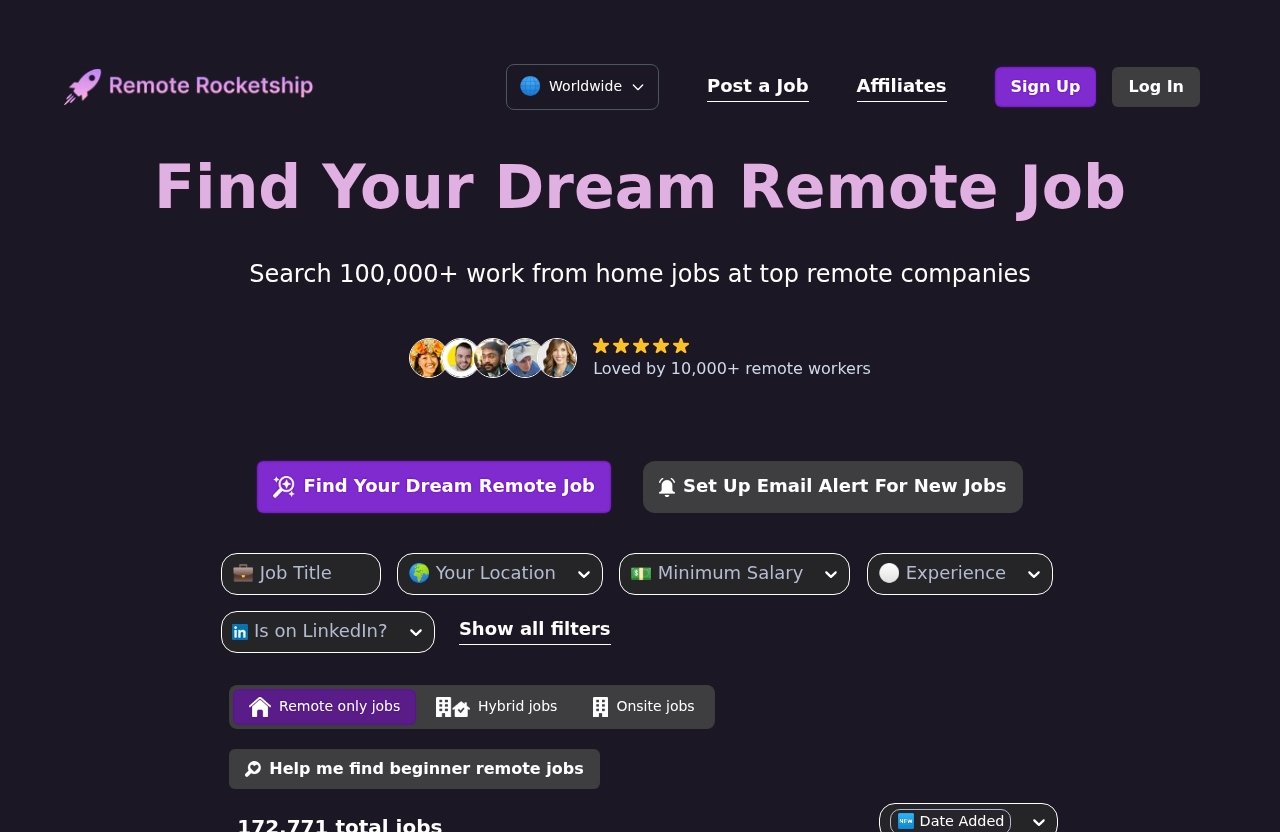
How to verify a remote job on Remote Rocketship as a real-world example
Remote job boards can help you find opportunities faster, but they do not remove your responsibility to verify the employer. That includes niche boards, large job sites, social platforms, and company career pages.
Disclosure: this article may include an affiliate-supported mention of Remote Rocketship. If you choose to browse it, you can start at Remote Rocketship, but you should still verify each listing independently. The official homepage and pricing page content provided for this article could not be accessed due to security verification/CAPTCHA, so pricing, plan details, specific features, discounts, and guarantees are not verified here.
What a legitimate board should do well
A useful remote job board should help you discover roles and give you enough context to begin your own checks. At minimum, you want to see job titles, employer names, and enough listing detail to evaluate whether the role sounds coherent.
Still, the question remains: how can i tell if a remote job is legit after finding it on a job board? Treat the board as a starting point, not final proof.
A job board can surface opportunities. It cannot guarantee that every recruiter message you receive later is safe, especially if someone impersonates a company outside the platform.
What you still need to verify yourself
For any role you find through Remote Rocketship or another board, run the same process:
- Search the employer’s official website.
- Look for the role on the company careers page.
- Confirm the recruiter’s email domain.
- Check company LinkedIn activity.
- Search for complaints or impersonation reports.
- Compare the pay and responsibilities to market norms.
- Avoid sending sensitive information before verification.
This is where your remote job legitimacy checklist matters. A familiar job board can make searching easier, but due diligence still protects you.
How to use filters and search carefully
When browsing any remote job source, use filters thoughtfully. Search by role title, seniority, location eligibility, and employment type where those options are available.
Good search habits include:
- Prefer specific titles like “Customer Support Specialist” over “easy online job”
- Read the full description before applying
- Save the original job link
- Compare the same role across the job board and company site
- Keep screenshots of suspicious listings before reporting them
If you are using Remote Rocketship as one source in your search, pair it with company career pages and LinkedIn verification instead of applying on autopilot.
Remote job scam examples by category
Scammers tend to reuse categories because they work. Knowing the common patterns makes it easier to answer “how can i tell if a remote job is legit” when a listing looks tempting.
Fake data entry jobs
Fake data entry jobs often promise high pay for simple typing. The listing may say no experience is required, training is immediate, and the position is fully flexible.
Warning signs:
- $30–$50/hour for basic entry-level tasks
- No software, accuracy, or workflow details
- Interview only through chat
- Request to buy equipment or deposit a check
- Immediate offer after a few questions
Real data entry roles exist, but they usually mention accuracy, systems, confidentiality, productivity expectations, and supervisor structure.
Phony customer support roles
Customer support scams may impersonate real brands because many support jobs are remote. The scammer may say they need urgent hires for chat support, email support, or ticket handling.
Watch for:
- No mention of support tools or shift coverage
- No interview about customer scenarios
- Request for your bank account to “set up payroll” too early
- Personal email domain from the recruiter
- A fake onboarding portal that asks for sensitive information
A real support role should include details about customers, channels, schedules, training, and performance expectations.
Fake hiring manager impersonation
In 2026, impersonation can look convincing. A scammer may copy a real hiring manager’s name and photo from LinkedIn, then contact you using a fake email.
To verify:
- Compare the email domain to the official company domain
- Check whether the person actually works there
- Message the recruiter through LinkedIn politely
- Contact the company through its official careers page
- Search the exact email address in quotes
Example search:
text
"jane.doe.companyhr@gmail.com"
"Jane Doe" "Company Name" recruiter
"Company Name" "recruitment scam"
If someone says, “Do not contact our corporate office,” treat that as a serious warning.
Check-cashing and reshipping schemes
These are among the riskiest scams because they can involve financial loss or legal trouble.
Check-cashing scams often say the company will send money for equipment. You deposit the check, buy equipment, or send funds to a vendor. Later, the check bounces.
Reshipping scams ask you to receive packages, inspect them, and mail them elsewhere. These packages may involve stolen goods or fraudulent purchases.
If a “job” requires using your personal bank account, home address, or shipping account for company transactions, stop and verify through official channels.
What a legit remote hiring process usually looks like
Understanding normal hiring behavior helps you avoid both panic and false positives. Not every slow recruiter is suspicious, and not every quick process is fake.
The practical question remains: how can i tell if a remote job is legit compared with a messy but real hiring process?
Clear job requirements and responsibilities
A legitimate listing usually tells you:
- What the company does
- What the role does
- Required skills or experience
- Tools or systems used
- Time zone or location requirements
- Employment type
- Pay range where legally required or company-standard
The more specific the role, the easier it is to evaluate. Vague jobs are harder to trust.
Structured interviews and role-specific questions
A real remote interview should include questions related to the job. For example:
- A customer support role may ask about handling an angry customer.
- A project manager role may ask about timelines and stakeholders.
- A developer role may include technical discussion or portfolio review.
- A sales role may ask about pipeline, objections, and targets.
Scammers rarely spend time assessing your skills. They want compliance, not fit.
Company email and professional communication
Legitimate hiring teams usually communicate from company domains or recognized applicant tracking systems. The tone should be professional, even if friendly.
Legit remote job signs include:
- Clear sender identity
- Calendar invites for interviews
- Company domain email
- Consistent job title
- Written next steps
- Willingness to answer verification questions
You can still be polite while cautious. A good employer will not be offended by basic security awareness.
Normal timeline for offer and onboarding
Remote hiring can take days or weeks, depending on the role. Some contract jobs move quickly, but there is usually still a real conversation about your experience.
Normal onboarding often includes:
- Signed offer or contract
- Background check, if applicable
- Tax or contractor forms through secure systems
- Company account setup
- Equipment shipping or software access
- Training schedule
The order matters. Sensitive documents should come after you have confirmed the employer and accepted a real offer.
What to do if you think a remote job is fake
If something feels wrong, slow down. You do not need to accuse anyone. Your first job is to protect your identity, money, and devices.
If you are asking “how can i tell if a remote job is legit” because you are already in contact with someone suspicious, take these steps.
How to stop contact safely
Do not argue with a suspected scammer. Do not explain every reason you are suspicious.
You can send one short message:
“I’m pausing this process until I can verify the role through the company’s official careers channel.”
Then stop responding. Block the sender if they pressure you.
If you received attachments or links, do not open them again. If you downloaded anything, run a security scan.
Where to report scams
Useful reporting options include:
- FTC ReportFraud.ftc.gov for job scams, fake checks, and fraud attempts
- The job board where the listing appeared
- LinkedIn, Indeed, or the platform used for the message
- The real company being impersonated
- Your bank or payment app if money was involved
- Local law enforcement if you lost funds or shared sensitive identity documents
Indeed’s job seeker safety resources are helpful for platform-specific warning signs. LinkedIn’s safety resources are useful when a recruiter profile or company page may be impersonated. SSA’s Choose Work guidance is especially relevant for job seekers who need to protect benefits, identity, and employment records.
How to protect your identity and finances
If you suspect a scam, immediately protect your accounts.
Do this:
- Change passwords if you shared login details
- Enable two-factor authentication
- Contact your bank if you shared financial information
- Monitor accounts for unusual activity
- Consider a credit freeze if sensitive identity data was shared
- Save emails, screenshots, phone numbers, and links as evidence
Do not deposit checks from unverified employers. If you already deposited one, contact your bank before spending or transferring any funds.
What to do if you already shared information
What you do next depends on what you shared.
| Information shared | What to do |
|---|---|
| Resume only | Monitor for impersonation or spam |
| Phone/email/address | Watch for phishing and account takeover attempts |
| Bank details | Contact your bank immediately |
| SSN or tax ID | Consider credit freeze and identity monitoring |
| Passport/ID scan | Report identity exposure and monitor accounts |
| Passwords | Change them everywhere reused |
Act quickly, but stay calm. Many people encounter scams while job searching. The important thing is to stop the damage early.
How to build a safer remote job search in 2026
A safer job search is not about fear. It is about routine. Use the same verification steps every time so you are not making decisions under pressure.
By this point, you should have a practical answer to “how can i tell if a remote job is legit”: verify the company, match the role to official sources, check the recruiter, inspect the process, and refuse money-related requests.
Use job boards and company sites together
Job boards are useful for discovery. Company sites are useful for verification.
A safer workflow looks like this:
- Find a role on a job board.
- Save the listing.
- Search the employer’s official careers page.
- Confirm the job title and location.
- Apply through the official route when possible.
- Track who contacts you afterward.
This reduces the risk of applying to copied or impersonated listings.
Cross-check every listing
Use this quick remote job scam checklist before applying:
- Does the company exist?
- Is the job on the official careers page?
- Does the recruiter email match the company domain?
- Are the duties specific?
- Is the pay realistic?
- Is the interview process normal?
- Are they avoiding upfront money requests?
- Did you search the company name plus “scam” or “complaint”?
If you cannot answer these, pause.
Save a scam checklist template
Keep a simple note or spreadsheet for each job.
Use columns like:
| Field | Notes |
|---|---|
| Company name | |
| Job title | |
| Listing URL | |
| Official careers page match | Yes / No / Unsure |
| Recruiter name | |
| Recruiter email domain | |
| LinkedIn verified | Yes / No / Unsure |
| Scam search completed | Yes / No |
| Concerns | |
| Decision | Apply / Verify / Skip |
This makes your search less emotional. It also helps you spot repeated fake online job warning signs.
Keep your applications organized
Scammers benefit when job seekers are overwhelmed. If you apply to 80 jobs without tracking them, a random message can feel legitimate because you may not remember where it came from.
Keep records of:
- Where you applied
- Which resume version you used
- Recruiter names
- Interview dates
- Offer details
- Links and email domains
For 2026, treat verification as part of applying, not as an optional extra. You can use multiple sources to find roles, including company websites, LinkedIn, Indeed, niche communities, and Remote Rocketship, but run the same checklist every time.
The bottom line: how can i tell if a remote job is legit? A real job can be traced back to a real employer, a real hiring process, and consistent details. If the opportunity depends on urgency, secrecy, or your money, it is safer to walk away.
Official website · Latest pricing & offers
FAQ
How to verify a remote job is legit?
Check the company website, LinkedIn presence, recruiter email domain, and whether the job appears on the official careers page. Then review the interview process, pay, location rules, and offer letter for consistency.
A good rule: verify before sharing sensitive documents. If you are still asking “how can i tell if a remote job is legit,” do not move forward until the employer can be confirmed through official channels.
How to spot fake work-from-home jobs?
Watch for vague descriptions, unusually high pay, pressure to act fast, upfront fees, fake checks, and requests for personal financial information. These are common work from home scam signs.
Also be cautious when a recruiter refuses video or phone contact, uses a personal email for a corporate role, or offers the job after a short chat-only interview.
How do I know if an online job is real or fake?
A real online job usually has a verifiable employer, detailed responsibilities, professional communication, and a normal interview process. A fake one often skips interviews, avoids official company channels, or asks for money.
If you are unsure, search the company name with “scam,” “complaint,” and “fake recruiter,” then compare the listing with the official careers page.
How do you know which work-from-home jobs are legit?
Use a checklist every time. Confirm the employer, compare the posting to the company’s official site, check the recruiter’s contact details, research complaints, and make sure the pay and hiring process are realistic.
Legitimate work-from-home jobs exist across many fields, but safe searching means verifying the opportunity before you apply, accept, or share personal information.
Related Reading
- Remote Rocketship Free in 2026? Pricing, Free Access, and Honest Verdict
- Remote Rocketship Trustpilot Reviews: Is It Legit and Worth Paying for in 2026?
- Is Remote Rocketship Legit on Reddit in 2026? A Skeptical, Fair Verdict
